Coursify, a new e-learning platform, aimed to provide an intuitive and engaging learning experience but lacked a clear user-centric design. The challenge was to build the user experience from the ground up, creating a seamless navigation system and incorporating personalized learning features that could engage users from the moment they first opened the app. The goal was to design an experience that was simple, effective, and tailored to each learner’s needs.
As the UI Designer for this project, I led the visual and interface design from early concepts through final execution. I translated product requirements and user insights into clear layouts, scalable components, and consistent visual patterns. I worked closely with stakeholders, product managers, and developers to ensure the interface was intuitive, visually cohesive, and supportive of personalized learning experiences.
Key responsibilities:
Conducting user research and creating user personas to inform the design direction.
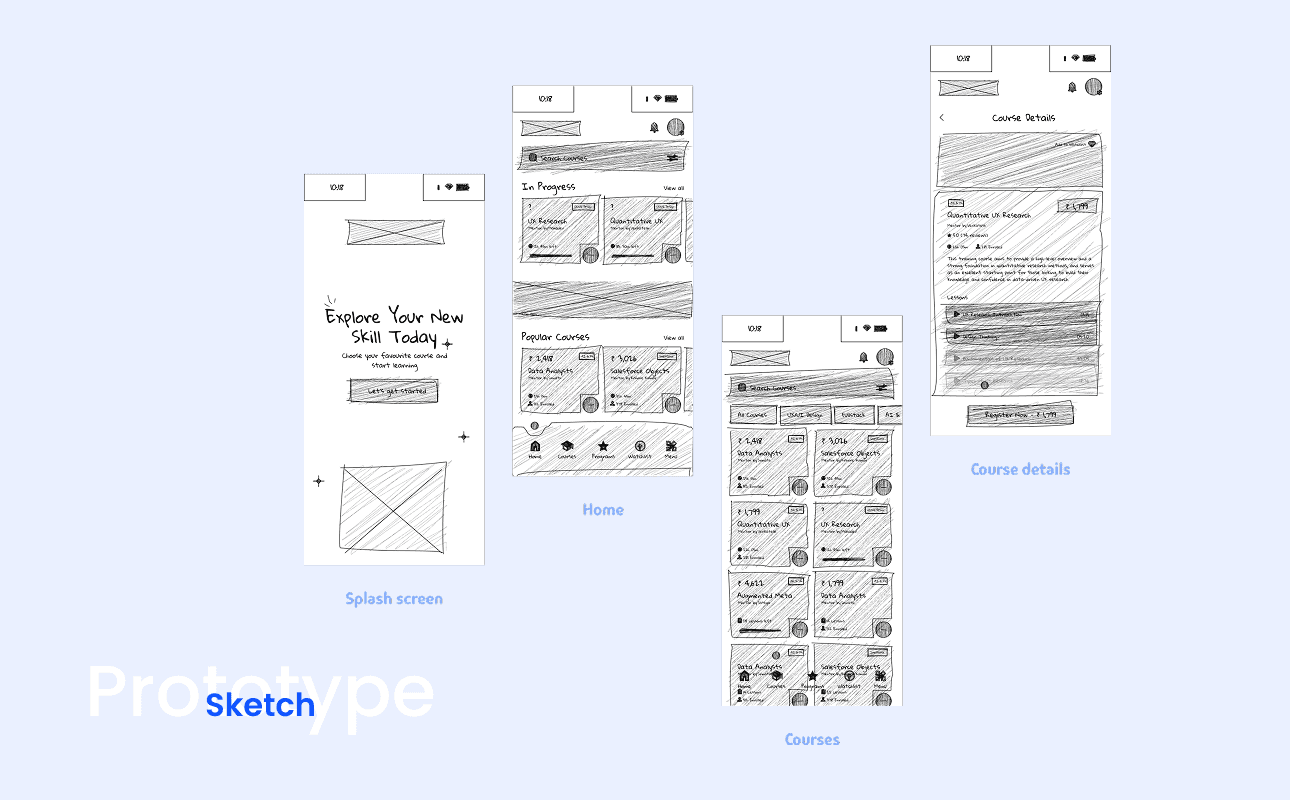
Mapping out the app’s user flows and wireframes to define the structure of the platform.
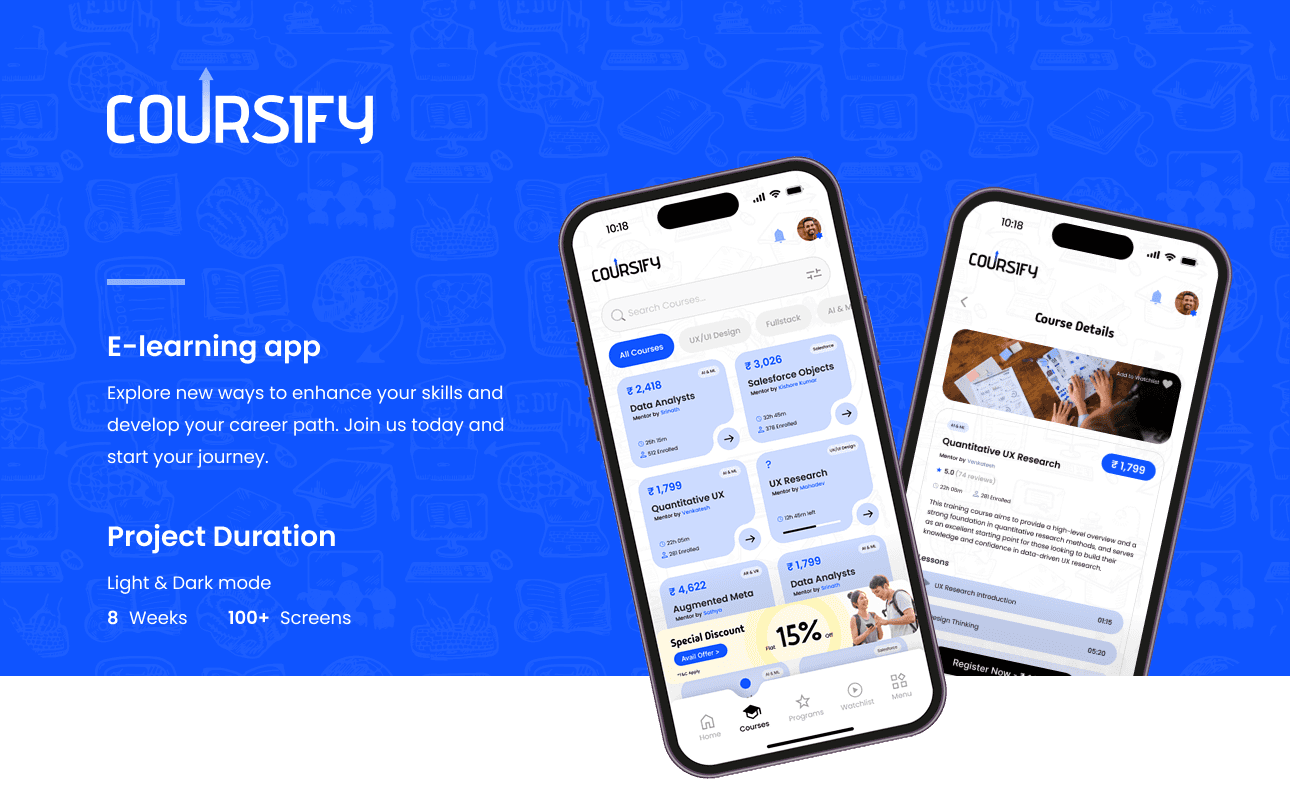
Designing high-fidelity prototypes to illustrate the app’s key features and interactions.
Defining personalized learning features that would enhance user engagement and satisfaction.
Collaborating with the development team to ensure the design was implemented effectively.
Objective:
Design an intuitive, user-friendly navigation system from scratch that allows users to easily access courses, learning materials, and progress tracking.
Build personalized learning experiences that adapt to the needs and progress of individual learners.
Create a visually engaging and consistent UI that enhances the learning experience without overwhelming users.
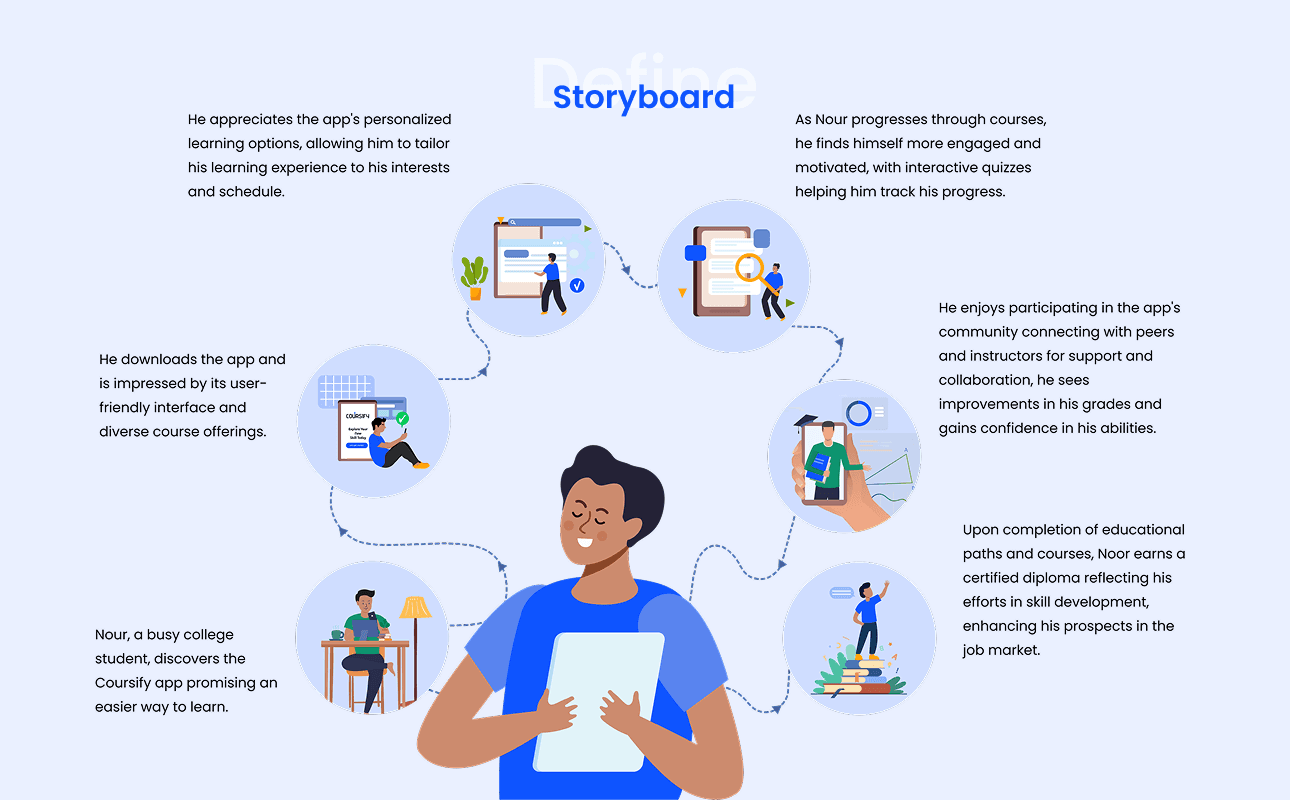
Approach:
User Research & Persona Development:
Conducted interviews and surveys with potential users to understand their goals, challenges, and preferences.
Created user personas to represent different types of learners (e.g., casual learners, career-focused learners) and to guide design decisions.
Information Architecture & User Flow Design:
Developed the app’s information architecture to ensure easy and logical navigation through courses, resources, and settings.
Created wireframes to visualize the key user flows, focusing on simplifying access to essential features like course search, progress tracking, and course recommendations.
UI Design & Prototyping:
Designed a clean, modern user interface that prioritized usability and accessibility, while maintaining a visually appealing design.
Created interactive prototypes to demonstrate user interactions and navigation for stakeholder review and testing.
Personalized Learning Features:
Integrated personalized course recommendations, based on user progress and preferences, to make the learning experience more relevant.
Designed progress tracking dashboards that offered users a clear view of their learning path and achievements.
Testing & Iteration:
Conducted usability testing with users to validate design choices and identify pain points.
Iterated on designs based on feedback, ensuring the app was intuitive and met users' needs.
Key Challenges:
Designing the app’s entire navigation and structure from scratch without existing data on user behavior.
Creating personalized learning features without overcomplicating the user interface.
Ensuring accessibility across various devices and screen sizes.
Outcome:
Successfully created a user-friendly e-learning app that prioritized simplicity and ease of navigation, while also integrating personalized learning experiences.
Post-launch data showed a significant increase in user engagement, with users interacting more frequently with the personalized course suggestions and progress tracking features.
User feedback highlighted the intuitive navigation and the relevance of the personalized learning features, contributing to a smoother and more engaging learning experience.
Tools Used:
Figma (for wireframes, high-fidelity designs, and prototypes)
Adobe XD (for UI design)
InVision (for creating interactive prototypes)
Optimal Workshop (for card sorting and usability testing)
Google Analytics (for tracking user behavior post-launch)